Ad results per product, parent and group
Product performance shows what your ads do for each product, rolled up by parent or by the product attributes you set, with stock and days of cover beside it.
Campaign reports do not tell you which products pay off.
- Ad spend is reported by campaign, while decisions are made per product.
- Variations and product lines are hard to compare when every ASIN is a separate row.
- Advertising a product that is about to run out of stock wastes spend.
From ASIN to product line.
Start from products
See units, sales, ad spend and ACoS per ASIN and SKU.
Group your way
Group by parent, or by attributes you set in Product Setup such as brand, category, size, color or your own group levels.
Check stock
See FBA, FBM and total stock with days of cover next to ad performance.
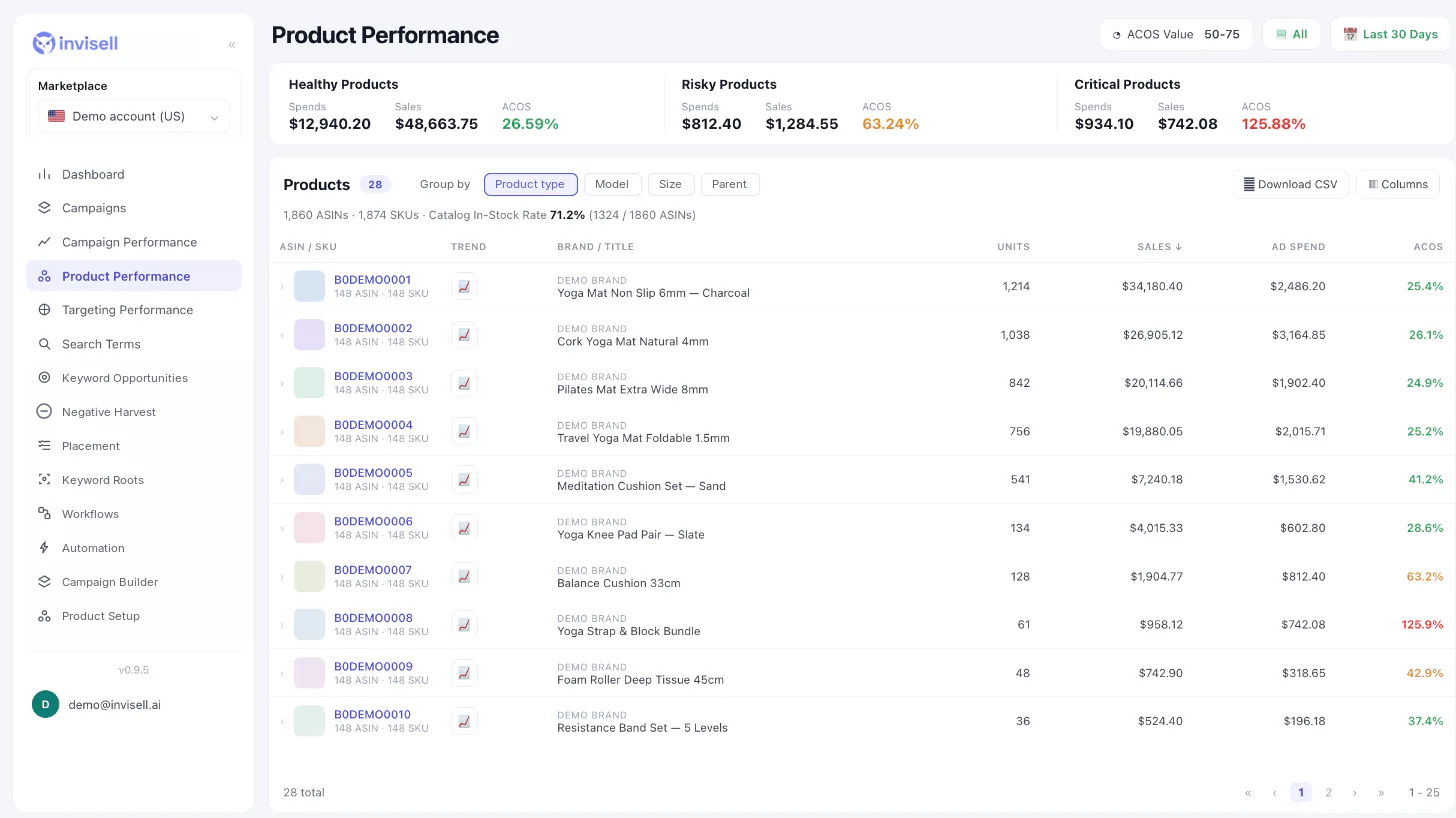
Product-level decisions with the context they need.
Healthy, risky, critical
Products are split into healthy, risky and critical by ACoS, so problems stand out.
TACoS and organic share
See ads against total sales, not only ad sales.
Inventory in view
Days of cover beside ad spend helps you avoid pushing products that are about to run out.
Questions about Product performance
Can I group products my own way?
Yes. Group by parent, or by attributes you set in Product Setup such as brand, category, size, color and your own group levels.
Does it show inventory?
Yes. FBA, FBM and total stock, plus days of cover.
Can I see TACoS per product?
Yes. TACoS and organic share are available alongside ad metrics.
Can I export the table?
Yes, as CSV.