Placement adjustments by rule, not by guesswork
Set Sponsored Products placement adjustments from your own rules, push them to Amazon, and see whether Amazon applied the value you sent.
Placement adjustments are easy to set and easy to forget.
- Top of Search, Rest of Search and Product Pages perform very differently, campaign by campaign.
- Adjustments set once are rarely revisited as performance changes.
- Changing them campaign by campaign in the console is slow.
From placement data to adjustment.
See placement performance
Compare ROAS, ACoS, CTR, CVR, CPC, spend and sales by placement for each campaign.
Set the adjustment
Set Top of Search, Rest of Search and Product Pages adjustments from 0% to 900%, by rule or by hand.
Push and check
Push the adjustments to Amazon. Invisell reads the value back and warns you if Amazon accepted a change but did not apply it.
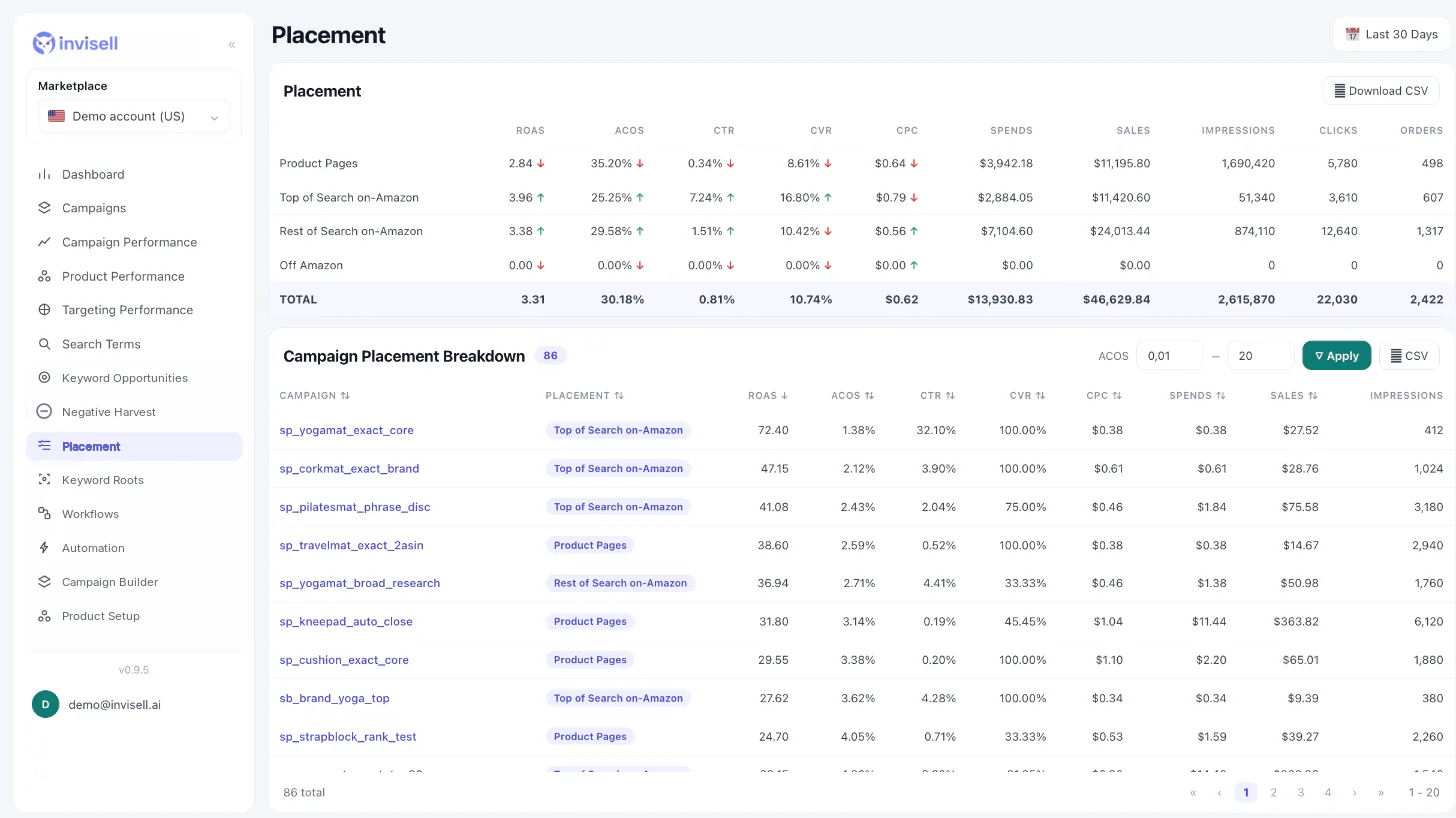
Placement control you can check.
All three placements
Top of Search, Rest of Search and Product Pages, from 0% to 900%.
Read back from Amazon
After a push, Invisell checks the value Amazon holds, so a silent failure does not go unnoticed.
Run history and week planner
Placement automations have a run history and a week planner showing what is scheduled.
Preview mode: Scheduled placement automations currently run in preview mode: they run on schedule and show what they would change, but nothing is pushed to Amazon. Manual pushes do go to Amazon.
Questions about Placement rules
Which placements can I adjust?
Top of Search, Rest of Search and Product Pages on Sponsored Products campaigns, from 0% to 900%.
How do I know Amazon applied my change?
After a push Invisell reads the value back from Amazon. If Amazon accepted the change but did not apply it, you see a warning.
Do scheduled placement automations change my campaigns?
Not yet. They run in preview mode: they run on schedule and record what they would change, without pushing anything to Amazon.
Does this cover Sponsored Brands or Sponsored Display?
No. Placement rules work with Sponsored Products campaigns.