A suggested bid for every target
Invisell suggests a bid for each Sponsored Products keyword and product target and shows it next to the current bid. Nothing is applied until you choose to apply it.
Deciding thousands of bids one by one does not scale.
- Large accounts have more keywords and targets than anyone can review every week.
- Bid changes made from a gut feeling are hard to repeat and hard to explain later.
- Fully automatic bidding takes the decision away from you.
Suggested, compared, then applied by you.
See the suggestion
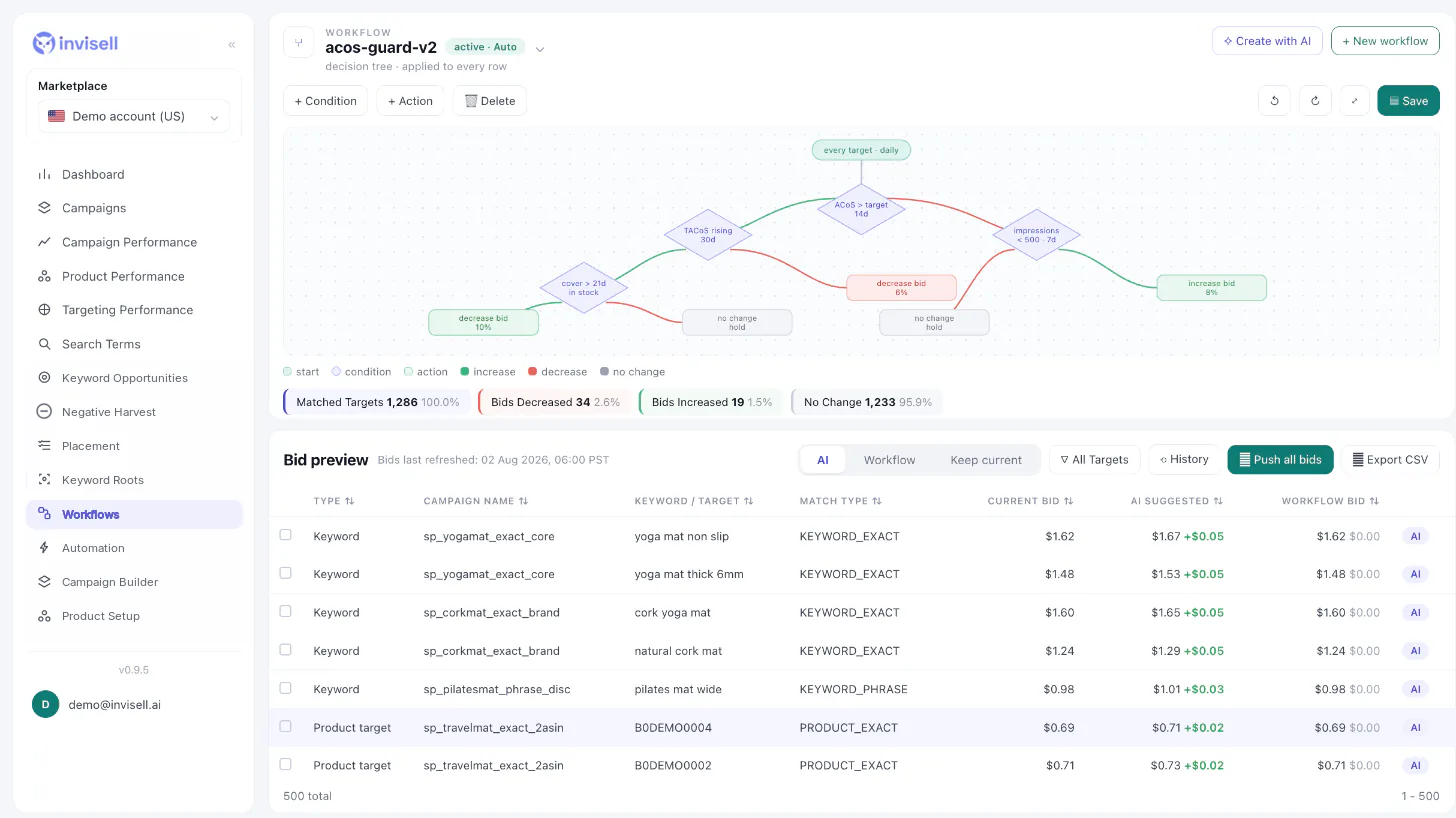
The bid grid has an AI suggested bid column next to the current bid, and shows when bids were last refreshed.
Choose the source
For each row, the final bid can come from AI, from your workflow, or stay at the current bid.
Apply your way
Push the suggested bids by hand, use the AI suggested bid column inside a workflow, or run an automation in AI only mode.
A second opinion on every bid, under your control.
Side by side
Current bid, AI suggested bid and workflow bid in one grid, so you can see where they disagree.
Use it inside your rules
A workflow action can set the bid from the AI suggested bid column, so the suggestion only applies where your conditions say so.
Scheduled when you want it
An automation in AI only or AI + tree mode applies suggestions on the schedule you set.
Questions about AI suggested bids
Are AI suggested bids applied automatically?
No. They are applied only when you push them, when a workflow sets the bid from the AI suggested bid column, or when you turn on an automation that uses AI mode.
Which targets get a suggested bid?
Sponsored Products keywords and product targets.
How do I know how fresh a suggestion is?
The bid grid shows when bids were last refreshed.
Can I combine AI suggestions with my own rules?
Yes. Use the AI + tree automation mode, or a workflow action that sets the bid from the AI suggested bid column.